Every self-service terminal you own in one platform

Any domain, any hardware, any integration. AzRy runs the platform behind 10,000+ terminals and can run yours too.

Self-service is how your customers want to be served

SSTS connects your self-service terminals (often called kiosks) to every scenario in your business, and AzRy runs it for you as a service. The platform has proved that any integration can be a success story, whether your customers want to pay for utility and banking services, fill up their vehicle's gas tank, order from a menu or verify their identity biometrically.

You choose the hardware. You design the interface. You keep the customer relationship. AzRy runs SSTS underneath, connects it to your back office and gives you one console to manage the entire fleet. Already running terminals on other software? We check them and help you move them over.

SSTS runs on secure, modular, high-availability infrastructure that connects payment services, banks and third-party systems into one platform for self-service terminals and kiosks, with integration for bill acceptors, printers, card readers, card terminals and biometric hardware.


Proven at scale

  • $2B+Cash flow annually
  • 1,500+Services delivered
  • 10,000+Active terminals
  • 50%+Market coverage in Georgia

SSTS Cloud System

Banking

Terminals where customers repay loans, fund deposits and accounts and pay bills in cash or by card, with no teller. SSTS connects to the bank’s own systems, and every payment reaches the bank even when the connection drops.

Self-Service Terminal

Uplink

Management & Monitoring Cloud Services

API

Bank Core System

Utility

Terminals where customers pay electricity, gas, water, internet and mobile bills in cash or by card. The provider catalogue comes from payment aggregators and syncs to every terminal, and the SSTS server delivers each payment with automatic retries, so a dropped connection never loses one.

Self-Service Terminal

Uplink

Management & Monitoring Cloud Services

API

Payment Gateways

Transport & Ticketing

Terminals at stations and stops where riders activate and top up MIFARE Plus travel cards in cash or by card, with no staff on site. Every top-up is recorded on the SSTS server, and the operator reads it through the integration API.

Transport Station

Uplink

Management & Monitoring Cloud Services

API

Back Office

Gas Station

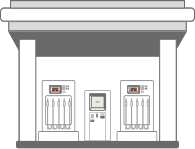
Terminals on the forecourt where drivers pay for fuel in cash or by card, day and night. The pump is authorised for the amount paid before fuel flows, the sale closes on what was dispensed, and anything left over stays on a voucher. Prices are set centrally and every sale reaches the central server.

Gas Station

Uplink

Management & Monitoring Cloud Services

API

Back Office

Hospitality

Ordering terminals for restaurants and cafés where guests order and pay in cash or by card without queuing. The menu is managed centrally and reaches every terminal, and paid orders go straight to the kitchen.

Restaurant

Uplink

Management & Monitoring Cloud Services

API

Back Office

Entertainment

Terminals for parks, venues and concerts that sell entry in cash or by card and print the ticket, with no queue at the box office. Every sale is on the SSTS server and in the venue’s back office.

Amusement Park

Uplink

Management & Monitoring Cloud Services

API

Back Office

Biometric Identification

Terminals that confirm who someone is by fingerprint or identity document before anything else happens. The terminal captures the fingerprint, and the client’s own system compares it and returns the result, so the identity records never leave the client.

Self-Service Terminal

Uplink

Management & Monitoring Cloud Services

API

Biometrics Server

Self-Service Terminal

An unattended terminal that takes cash and cards, prints the receipt and restarts itself if anything goes wrong. Its devices are set up and watched from the console, so a device fault shows up as an alert. The devices shown are a typical build.

Your custom UI

About

Your brand and your flows on every screen. The interface is built with popular web technologies, so your developers pick it up fast, or AzRy builds it for you.

Key features

  • Your brandingLogo, colours and themes
  • LanguagesEvery screen in your customers' language
  • Banners and campaignsChanged from the console
  • Remote rolloutNew versions without a site visit
  • Configurable UIAdd services without writing a single line of code

Touch screen

About

Shows every step of the session and takes input on the glass. Portrait and landscape housings, with one screen or two, run the same software.

Key features

  • Portrait or landscapeFits any housing
  • One or two screensDual-screen terminals supported
  • Calibrated on siteAccurate touch on every terminal
  • Industrial touch panelsCommon makers supported

Receipt printer

About

Prints the receipt as the session ends, with QR codes and barcodes where you want them. Presenter models push the receipt out through the slot, and office printers on the same terminal handle full-page documents.

Key features

  • Receipt for every paymentWith QR codes and barcodes
  • PresenterPushes the receipt out through the slot
  • Full-page documentsAn office printer in the same terminal
  • Works withCustom, Citizen, Bixolon, Rexod, HP and other printers

Coin acceptor

About

Reads each coin and credits it as it drops. Rejected coins and faults show up in the console, and a bulk coin counter takes a whole handful at once for larger cash deposits.

Key features

  • Every coin creditedCounted as it drops
  • Bulk coin counterA handful at once for larger deposits
  • Fault alertsJams and rejected coins show up in the console
  • Works withNRI, Azkoyen, Alberici, CTcoin and other coin acceptors

Bill acceptor

About

Validates each note and holds it in escrow, then stacks it or hands it back. Bulk note acceptors take a whole bundle at once for larger cash deposits.

Key features

  • Every note checkedBefore it is accepted
  • EscrowYour customer can still cancel and get the note back
  • Bulk depositsA whole bundle of notes at once
  • Works withCashCode, MEI, JCM, Ribao and other note acceptors

Contactless reader

About

Contactless runs through the card terminal: the customer taps on the same device that reads chip and magstripe cards, and the result goes straight back to the session. The same reader activates and tops up MIFARE Plus transport cards.

Key features

  • Tap to payContactless cards and phones
  • Chip and magstripeOn the same reader
  • Transit cardsMIFARE cards activated and topped up
  • Works withIngenico, Android POS terminals and more

Pin pad

About

Your customers enter their PIN on a PCI PTS-certified bank card terminal, the way card-industry standards require. The PIN goes from that terminal to the bank and never reaches SSTS.

Key features

  • PIN stays with the bankNever reaches SSTS
  • Certified PIN entryPCI PTS-approved hardware
  • Chip and PINOn the same terminal
  • Works withIngenico, Android POS terminals and more

Your custom hardware

About

Passport readers, card dispensers, motorised card readers and fiscal printers already run on SSTS terminals. Each extra device is set up, monitored and updated from the console like the rest.

Key features

  • Passport and ID readersCheck documents at the terminal
  • Card readers and dispensersRead, hold and issue cards
  • Works withDesko, Mutek, Nidec, Daisy and other devices

Management & Monitoring Cloud Services

AzRy hosts SSTS and keeps every terminal connected to it over an encrypted link, so changes reach the whole fleet with no work on site. SSTS holds your terminals, the services and commissions each one offers, and every payment, and a dropped connection never loses one.

Integrations

SSTS Server

Hosted and run by AzRy

Capabilities

Public API

About

Your own systems read terminals, live status, payments, cash collections and cash balances through the SSTS API. Every operation is documented, and each user gets only the permissions it needs.

  • Live dataTerminals, payments and cash
  • Fully documentedEvery operation described
  • Access controlPermissions per user
  • Works withYour ERP, accounting and reporting tools

Banking core

About

SSTS connects to the bank's own systems for loan repayments, deposits, account top-ups and bill payments, and every payment reaches the bank even when the connection drops.

  • Loans and depositsRepay and top up at the terminal
  • Cards and transfersCard repayments, transfers, FX rates
  • One-time codesCustomers confirm by SMS
  • Works withBanks and microfinance companies

Payment gateways

About

Bill payments reach utilities, telecoms and other providers through payment aggregators, so one integration brings a whole catalogue of providers. The provider list syncs to every terminal automatically.

  • Whole cataloguesMany providers through one connection
  • Always currentThe provider list updates on every terminal
  • Debt lookupCustomers see what they owe before paying
  • Works withLeading payment aggregators

Transit operators

About

The bank card terminal activates and tops up MIFARE Plus transport cards, so riders reload a travel card at the same terminal where they pay their bills.

  • Card activationNew travel cards ready on the spot
  • Top-upIn cash or by bank card
  • Works withMIFARE transit cards

Scales with you

About

SSTS grows with your fleet. AzRy adds capacity as you add terminals.

  • Grows with youFrom one terminal to thousands

Console

About

One console runs the fleet: terminals, services, commissions, themes, interface versions and users. Changes can be approved by a second person before they go live, and you restart terminals, pull logs and plan cash collection without a site visit.

  • Maker-checkerChanges can be approved before they go live
  • Remote controlRestart and update without a site visit
  • AlertsFaults reach your team as they happen
  • ReportsReports can be emailed on a schedule

Device registry

About

Only terminals you register can connect, and each one is locked to its own hardware, so an unknown device can't pose as one of yours. From the same list you set each terminal's software, interface, devices and risk category, or block it.

  • Locked to its hardwareUnknown devices can't connect
  • Version controlSoftware and interface per terminal
  • Terminal groupsEdit many terminals at once

Payment history

About

Every payment is stored with its full status history, from accepted to delivered or failed. Approved corrections fix a payment without losing its trail, and older payments are archived but stay on record.

  • Status historyEvery status change logged
  • Correction documentsApproved fixes with a trail
  • ArchiveOlder payments stay on record

Bank Core System

The bank’s own systems for accounts, loans and deposits. SSTS connects to them from outside and never sits inside them.

Payment Gateways

Utility, telecom and TV providers are paid through payment aggregators. SSTS keeps the provider list current on every terminal, and every payment reaches the provider even when the connection drops. A provider added by the aggregator reaches your terminals with no update on site. No aggregator yet? AzRy's own Multichannel Payment System (MPS) connects your terminals to the providers.

INTEGRATION

Multiple gateway integrations

Gas
Water
Electricity
Internet
Waste collection
Cable TV

Gas

Water

Electricity

Internet

Waste collection

Cable TV

Transport Station

SSTS makes the station self-service: riders activate and top up MIFARE Plus travel cards at the terminal, in cash or by card, and the fare gate reads the card at entry. Every top-up is recorded in SSTS, and the same terminal takes bill payments too.

Self-Service Terminal

Uplink

Fare Gate

Back Office

Your own systems for products, prices and accounting. SSTS does not replace them: they read payments, terminal status, cash collections and cash balances through the SSTS API, so the whole fleet shows up in the tools you already use. No back office yet? AzRy builds back-office systems too, and one may already fit your business.

Fare Gate

SSTS never moves the barrier. The gate belongs to your fare system and reads the travel card the rider topped up at the terminal, so it sees the card, never the payment behind it.

Gas Station

SSTS makes the station self-service: the driver pays at the terminal in cash or by card, and the pump is released for exactly that amount. Whatever is not dispensed stays on a voucher for the next visit. Loyalty cards, corporate fuelling and coupons run on the same terminal.

Self-Service Terminal

Uplink

Forecourt Controller

Uplink

Fuel Pump

Forecourt Controller

Runs the pumps on the forecourt. It loads fuel grades and prices, releases each pump for the amount paid, follows the fuelling and closes the sale on what was actually dispensed.

Key features

  • Prepaid fuellingPump released for the amount paid
  • Central pricesSet once for every station
  • Works withDOMS and other forecourt controllers

Fuel Pump

Meters and dispenses the fuel at the nozzle. SSTS never talks to it directly: the pump answers only to the forecourt controller, which releases it once the payment is in and stops it at the amount paid.

Restaurant

SSTS makes the counter self-service: guests order and pay at the terminal in cash or by card, take their receipt, and the order goes straight to the kitchen. Every payment and every device status is in SSTS for reporting.

Self-Service Terminal

Uplink

Kitchen

Self-Service Terminal

An unattended terminal that takes cash and cards, prints the receipt and restarts itself if anything goes wrong. Its devices are set up and watched from the console, so a device fault shows up as an alert. The devices shown are a typical build.

Your custom UI

About

Your brand and your flows on every screen. The interface is built with popular web technologies, so your developers pick it up fast, or AzRy builds it for you.

Key features

  • Your brandingLogo, colours and themes
  • LanguagesEvery screen in your customers' language
  • Banners and campaignsChanged from the console
  • Remote rolloutNew versions without a site visit
  • Configurable UIAdd services without writing a single line of code

Touch screen

About

Shows every step of the session and takes input on the glass. Portrait and landscape housings, with one screen or two, run the same software.

Key features

  • Portrait or landscapeFits any housing
  • One or two screensDual-screen terminals supported
  • Calibrated on siteAccurate touch on every terminal
  • Industrial touch panelsCommon makers supported

Pin pad

About

Your customers enter their PIN on a PCI PTS-certified bank card terminal, the way card-industry standards require. The PIN goes from that terminal to the bank and never reaches SSTS.

Key features

  • PIN stays with the bankNever reaches SSTS
  • Certified PIN entryPCI PTS-approved hardware
  • Chip and PINOn the same terminal
  • Works withIngenico, Android POS terminals and more

QR reader

About

Reads QR codes and barcodes from a phone screen or a printed ticket, so a guest scans an order, a ticket or a voucher in a second without touching the screen.

Receipt printer

About

Prints the receipt as the session ends, with QR codes and barcodes where you want them. Presenter models push the receipt out through the slot, and office printers on the same terminal handle full-page documents.

Key features

  • Receipt for every paymentWith QR codes and barcodes
  • PresenterPushes the receipt out through the slot
  • Full-page documentsAn office printer in the same terminal
  • Works withCustom, Citizen, Bixolon, Rexod, HP and other printers

Contactless reader

About

Contactless runs through the card terminal: the customer taps on the same device that reads chip and magstripe cards, and the result goes straight back to the session. The same reader activates and tops up MIFARE Plus transport cards.

Key features

  • Tap to payContactless cards and phones
  • Chip and magstripeOn the same reader
  • Transit cardsMIFARE cards activated and topped up
  • Works withIngenico, Android POS terminals and more

Kitchen

SSTS does not run the kitchen. Each order goes to the kitchen the moment it is paid, and the payment stays with the terminal, so the kitchen sees the order, never the card.

Amusement Park

SSTS makes the park entrance self-service: visitors buy tickets at the terminal in cash or by card, and the access gates check them at each attraction. Every sale is in SSTS and in the park’s back office.

Self-Service Terminal

Uplink

Ride Access Gate

Ride Access Gate

The gate at each attraction checks the ticket the visitor bought at the terminal, so entry rules stay with the park while every sale stays in SSTS.

Self-Service Terminal

An unattended terminal that takes cash and cards, prints the receipt and restarts itself if anything goes wrong. Its devices are set up and watched from the console, so a device fault shows up as an alert. The devices shown are a typical build.

Camera

About

Watches over every session and recognises your customers by their face, so an identity check can happen without a card or a document.

Key features

  • Face recognitionIdentify customers at a glance
  • Session monitoringEvery session on record
  • Works withStandard USB cameras and depth cameras

Your custom UI

About

Your brand and your flows on every screen. The interface is built with popular web technologies, so your developers pick it up fast, or AzRy builds it for you.

Key features

  • Your brandingLogo, colours and themes
  • LanguagesEvery screen in your customers' language
  • Banners and campaignsChanged from the console
  • Remote rolloutNew versions without a site visit
  • Configurable UIAdd services without writing a single line of code

Touch screen

About

Shows every step of the session and takes input on the glass. Portrait and landscape housings, with one screen or two, run the same software.

Key features

  • Portrait or landscapeFits any housing
  • One or two screensDual-screen terminals supported
  • Calibrated on siteAccurate touch on every terminal
  • Industrial touch panelsCommon makers supported

Receipt printer

About

Prints the receipt as the session ends, with QR codes and barcodes where you want them. Presenter models push the receipt out through the slot, and office printers on the same terminal handle full-page documents.

Key features

  • Receipt for every paymentWith QR codes and barcodes
  • PresenterPushes the receipt out through the slot
  • Full-page documentsAn office printer in the same terminal
  • Works withCustom, Citizen, Bixolon, Rexod, HP and other printers

Fingerprint scanner

About

Captures the fingerprint in the standard format identity systems use, and SSTS passes it to the system that holds your identity records, so the records never leave your hands.

Key features

  • Standard formatWSQ, used by identity systems worldwide
  • Your records stay yoursMatching happens in your system
  • Works withFutronic and other fingerprint scanners

Biometrics Server

Your own system that holds the identity records and runs the match. The terminal captures the fingerprint or face, SSTS passes it on, and your system returns the result, so the identity records never leave your hands.

trusted by companies and businesses like

  • TBC Bank
  • TBC Pay
  • TBC UZ
  • Liberty
  • Credo Bank
  • Rico Group
  • Basisbank
  • Wissol
  • Probbox

Certified, audited, and safe to run money on

AzRy is ISO 27001 certified. Every transaction travels over encrypted channels and leaves a full audit trail.

  • Fraud controls

    Fraud controls

    Limits and fraud rules

  • ISO 27001

    ISO 27001

    Information security

  • Card payments

    Card payments

    Contactless and PIN

  • Encryption

    Encryption

    Every link secured

Use Cases

  • Fuel station

    Self-service fuel stations, day and night

  • Fuel station

    Pay at the pump, without the cashier

  • Fuel station

    Loyalty, coupons and fleet cards

  • Fuel station

    Staffed and self-service, side by side

Ready to talk?

Bring the terminals you have or start from zero. Tell us what your customers need, and we'll show you how SSTS handles it.